Stepping into the world of robot vacuums often feels like unlocking a secret level of home cleanliness, and the Shark Iq Robot Vacuum series stands out as a true game-changer. These clever cleaning companions promise to transform your daily chores, offering a blend of innovation, convenience, and powerful suction that helps you keep your home spotless without lifting a finger. If you’re looking to upgrade your cleaning routine and embrace automated living, understanding the nuances of the Shark IQ Robot Vacuum is your first step towards a cleaner, more relaxed home.
A Brief History of Robot Vacuums: From Novelty to Necessity
Remember when robot vacuums seemed like something out of a futuristic movie? Early models, while charming, often bumped aimlessly, missed spots, and required constant human intervention. Fast forward to today, and these devices have evolved into sophisticated cleaning machines. What was once a novelty has become a household necessity, driven by advancements in artificial intelligence, navigation technology, and user-friendly design. The journey from simple random cleaning to intelligent, systematic mapping has paved the way for efficient models like the Shark IQ, making truly hands-free cleaning a reality for many.
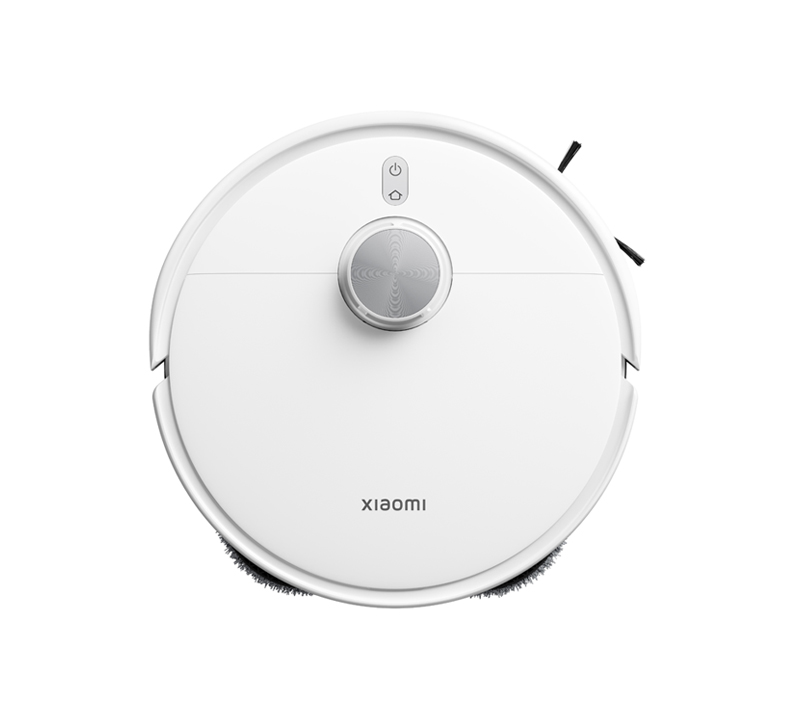
Unpacking the Shark IQ Robot Vacuum: Key Technologies and Models
The Shark IQ Robot Vacuum line is packed with features designed to deliver a comprehensive and effortless cleaning experience. Let’s break down the core technologies that make these robots tick.
Self-Emptying Base: A Hands-Off Approach
One of the most celebrated features across many Shark IQ models, particularly the RV1001AE Self-Empty XL, is the self-emptying base. Imagine your robot vacuum completing its cleaning cycle, returning to its dock, and automatically emptying its dustbin into a larger container in the base station. This bagless system can hold up to 30 to 45 days of dirt and debris, meaning you only interact with the mess about once a month, significantly reducing your hands-on chore time. While some competitors use bags, Shark’s bagless design means fewer recurring costs for replacement bags, making it a budget-friendly option in the long run.
IQ Navigation™: Smart Mapping for Every Corner
Gone are the days of random bumper-car cleaning patterns. The Shark IQ series utilizes IQ Navigation™ technology, which includes on-board cameras and sensors, to methodically map your home. This allows the robot to clean in neat, efficient rows, ensuring comprehensive coverage of each room. After its initial runs, the robot builds an interactive map of your home within the SharkClean app, letting you view cleaning reports, assign specific rooms for cleaning, and even set virtual no-go zones to keep it out of certain areas. Some models also come with physical boundary strips for additional control.
Self-Cleaning Brushroll: Say Goodbye to Hair Wraps
For pet owners or those with long hair, tangled brushrolls are a common robot vacuum headache. The Shark IQ addresses this with its self-cleaning brushroll, engineered with a combination of soft bristles and rubberized fins that actively remove hair wrap as the robot cleans. This innovative design continuously filters hair into the dustbin, dramatically reducing the frequency with which you’ll need to manually cut away tangled hair, a truly “icky task” that many robot vacuum owners dread.
Smart Features: Connected Cleaning at Your Fingertips
The Shark IQ Robot Vacuum seamlessly integrates into your smart home ecosystem. Through the intuitive SharkClean app, available for both iOS and Android, you can:
- Schedule Cleanings: Set daily or weekly cleaning schedules.
- Control from Anywhere: Start, stop, or pause cleaning sessions remotely.
- Room Select: Send your robot to clean specific rooms once your home is mapped.
- Voice Control: Connect with Amazon Alexa or Google Assistant for hands-free command. Just say, “Alexa, tell Shark to start cleaning,” and your robot springs to life.
Power Modes: Tailored for Every Mess
Different cleaning challenges require different approaches. The Shark IQ offers three power levels:
- Eco Mode: Provides quieter operation and extends battery life for lighter cleaning tasks.
- Normal Mode: The default setting, offering a good balance of suction power and battery efficiency.
- Max Mode: Delivers the strongest suction for tackling tougher messes, though it consumes battery faster.
Shark IQ Robot Vacuum in Action: Real-World Performance
When it comes to actual cleaning, how does the Shark IQ measure up in a busy household? Let’s dive into its performance on various surfaces and common debris.
Hard Floors Performance
The Shark IQ Robot Vacuum generally performs exceptionally well on bare floors. It effectively picks up pet hair, small debris like rice, and even bulky material such as cereal. Its systematic, row-by-row cleaning pattern helps ensure thorough coverage, often leaving hard surfaces noticeably cleaner after a single pass.
Carpet Performance: Low-Pile vs. High-Pile
On carpets, the Shark IQ shows good, albeit varied, performance. It excels at collecting pet hair and larger debris from both low- and high-pile carpets. However, some tests indicate it might struggle more with fine debris like baking soda on high-pile carpets and sugar on low-pile carpets, sometimes showing less impressive results compared to its performance on hard floors. The self-cleaning brushroll, however, remains a consistent asset for preventing hair tangles on all carpet types.
Pet Hair Performance: A Fur-Nado Fighter
For homes with furry friends, the Shark IQ is often highlighted as an excellent choice. Its powerful suction and self-cleaning brushroll work in tandem to collect pet hair efficiently from various floor types. Many users, including those with shedding dogs, report that the Shark IQ does an excellent job of keeping floors free of pet fur. The “Evacuate and Resume” feature, which allows the robot to empty its bin more frequently (e.g., every 30 minutes) during a cleaning cycle, is particularly beneficial for pet owners to prevent the onboard dustbin from getting clogged.
Battery Life and Recharge & Resume
The battery life of the Shark IQ is generally considered superb, with some models offering over an hour of continuous runtime in ‘Max’ mode and over 160 minutes in ‘Eco’ mode, which is typically sufficient for large rooms. The “Recharge and Resume” feature is a standout, especially for larger homes (over 1,500 square feet). If the battery runs low mid-clean, the robot returns to its dock to recharge, then resumes cleaning exactly where it left off, ensuring complete coverage.
Noise Levels
While effective, some users note that the Shark IQ Robot Vacuum can be a bit loud, especially when operating on hard flooring or engaging its self-emptying function. In Normal mode, it typically operates around 57dB on hard floors and 53dB on carpet, which is comparable to a normal conversation. In Max mode, it naturally gets louder. The self-emptying process itself creates a distinct, loud noise as it suctions debris into the base station.
Maneuverability and Obstacle Avoidance
The IQ Navigation system allows the robot to move quickly and efficiently in straight lines. It generally maneuvers well around furniture, area rugs, and carpeting without getting stuck. While it features cliff sensors to prevent falls down stairs, it may not have the advanced obstacle avoidance of some pricier competitors (like Roomba J7+), meaning you might need to pick up cords and small objects before a cleaning session for optimal performance.
Your Guide to Choosing and Using a Shark IQ Robot Vacuum
Bringing a Shark IQ Robot Vacuum into your home should be a seamless experience. Here’s how to make the most of it.
What to Consider Before Buying
- Floor Types: Assess whether your home is predominantly hard floors or carpets, and consider the proportions of low-pile versus high-pile.
- Pet Ownership: If you have pets, the self-cleaning brushroll and self-emptying base are significant advantages.
- Home Size: For larger homes, models with the “Recharge and Resume” feature are highly recommended.
- Budget: Shark IQ models often offer premium features like self-emptying at a more competitive price point compared to some market leaders.
Setup Made Simple
Setting up your Shark IQ is surprisingly straightforward. After unboxing and attaching the side brushes, simply place the base station in a permanent, open location (Shark recommends three feet clear on either side and five feet across from anything for optimal performance). Plug it in, charge the robot for its initial six hours, and then download the SharkClean app. The app guides you through connecting to your 2.4GHz Wi-Fi network and initiating the first cleaning run to map your home.
Maximizing Your Cleaning Sessions
- Prep Your Home: Before a cleaning cycle, clear floors of cords, toys, and drapes to prevent the robot from getting stuck.
- Consistent Dock Location: Avoid moving the base station, as it can disrupt the robot’s mapping and navigation.
- Schedule Smart: Utilize the app’s scheduling feature to set cleanings during off-peak hours or when you’re away from home.
- Regular Maintenance: While self-sufficient, regular cleaning of filters, side brushes, and sensors ensures optimal performance and extends the life of your robot.
Troubleshooting Common Shark IQ Robot Vacuum Issues
Even the smartest robots can encounter a hiccup or two. Here are quick solutions for common Shark IQ Robot Vacuum problems.
Connectivity Problems
“It’s frustrating when your smart vacuum isn’t so smart about connecting,” notes Evelyn Reed, “but often, the fix is as simple as a three-step reboot.” If your robot struggles to connect to Wi-Fi or the SharkClean app, try these steps: restart your phone, reboot your robot (power off for 10 seconds, then back on), and then reboot your Wi-Fi router (unplug for 30 seconds). Ensure you’re connecting to a 2.4GHz Wi-Fi network.
Navigation Glitches
If your Shark IQ is bumping into obstacles more than usual or getting stuck, clean its cliff sensors and ensure they are free from dust and debris. Moving the robot to a new location on a level surface can also resolve “Robot may be stuck on an obstacle” errors. Always make sure the front bumper moves freely.
Brushroll & Suction Blockages
Reduced suction or an error code related to the brushroll often points to a blockage. Remove and empty the dustbin, clean the filters (without water), and check the brushroll for tangled hair or debris. The self-cleaning brushroll helps, but periodic manual checks are still beneficial, especially for longer hair strands.
Battery & Charging Concerns
If your robot isn’t charging, verify the charging dock is plugged in and its power indicator is on. Ensure the robot is properly aligned with the charging contacts on the dock, and clean both the robot’s and dock’s contacts. A flashing red battery icon indicates critically low battery, simply requiring a recharge.
The Smart Home Ecosystem: Integrating Your Shark IQ
The Shark IQ Robot Vacuum isn’t just a cleaning appliance; it’s a valuable player in your smart home orchestra. Its seamless integration capabilities elevate the convenience factor, allowing you to manage your cleaning routine with minimal effort.
Seamless Control with Apps and Voice Assistants
With the SharkClean app, you hold the reins of your robot vacuum from anywhere. You can initiate a clean while at work, check its battery status, or pause a cycle if you suddenly remember an obstacle left on the floor. Beyond the app, voice control via Amazon Alexa and Google Assistant transforms your cleaning command into a spoken word, adding a touch of futuristic ease to your daily life. It’s about leveraging the interconnectedness of your devices to simplify household management.
Creating a Truly Automated Home
The Shark IQ contributes significantly to a truly automated home by handling a fundamental chore autonomously. Combined with smart lighting, thermostats, and security systems, your robot vacuum helps paint a picture of effortless living. Imagine waking up to freshly vacuumed floors without having to lift a finger, or arriving home to a clean space after a long day, all thanks to a preset schedule or a quick voice command. The goal is to free up your time for what truly matters, and the Shark IQ plays a vital role in achieving that.
Why a Shark IQ Robot Vacuum is a Game-Changer for Modern Living
In our fast-paced lives, anything that saves time and reduces stress is a welcome addition. The Shark IQ Robot Vacuum series embodies this philosophy perfectly. It’s not just about clean floors; it’s about regaining precious hours, reducing the mental load of chores, and maintaining a consistently tidy home without constant effort. From its intelligent mapping and powerful suction to the ingenious self-emptying base and tangle-free brushroll, the Shark IQ offers a high-value solution that makes automated cleaning accessible and truly hands-off. It’s an investment in convenience, peace of mind, and a perpetually fresh living space.
FAQs about the Shark IQ Robot Vacuum
How often do I need to empty the self-empty base?
With its generous capacity, the Shark IQ’s bagless self-emptying base typically only needs to be emptied about once a month, depending on your home’s size and level of debris.
Can the Shark IQ map multiple floors?
Most Shark IQ models can map a single floor. While the physical base station might be portable, the app usually saves only one map, which is a consideration for multi-level homes.
Is the Shark IQ good for pet hair?
Yes, the Shark IQ Robot Vacuum is highly effective at picking up pet hair from various floor types, thanks to its strong suction and innovative self-cleaning brushroll. The “Evacuate and Resume” feature further enhances its pet hair cleaning capabilities.
How do I troubleshoot Wi-Fi connection issues?
If you’re having trouble connecting, try restarting your phone, rebooting your robot (power off for 10 seconds, then on), and restarting your Wi-Fi router. Ensure your phone is connected to a 2.4GHz network.
What are the main differences between Shark IQ models?
While core features like IQ Navigation and self-cleaning brushrolls are common, models primarily differ in their self-emptying base capacity (e.g., 30 days vs. 45 days) and whether they include mopping capabilities (like the Shark IQ 2-in-1 models).
The Future is Clean: Embrace Your Shark IQ Robot Vacuum
The Shark IQ Robot Vacuum isn’t just a gadget; it’s a partner in creating a cleaner, more harmonious home. With its advanced features, reliable performance, and user-friendly design, it empowers you to spend less time on chores and more time enjoying your space. We encourage you to experience the seamless cleaning and newfound freedom that a Shark IQ can bring to your life. So go ahead, let your robot take the wheel, and share your sparkling results with the world!