Tired of pushing a heavy vacuum around, spending precious time on a chore that never seems to end? Imagine a little helper, a silent workhorse diligently cleaning your floors while you sip your morning coffee or enjoy a good book. That’s the dream the Irobot Roomba 694 Robot Vacuum promises, and for many, it delivers. This popular, budget-friendly robot is often the first step into the world of automated home cleaning, offering a straightforward approach to keeping your floors tidy without breaking the bank. It’s designed for those who value simplicity, reliability, and the sheer joy of coming home to cleaner floors.
The iRobot Roomba 694 has carved out a solid niche for itself as a go-to option for first-time robot vacuum owners and anyone seeking a no-fuss cleaning solution. While it might not boast the advanced mapping capabilities of its pricier cousins, the Roomba 694 focuses on what truly matters: getting the job done. With its accessible price point and solid performance on everyday dirt and debris, it’s an appealing choice for busy households looking to reclaim some time.
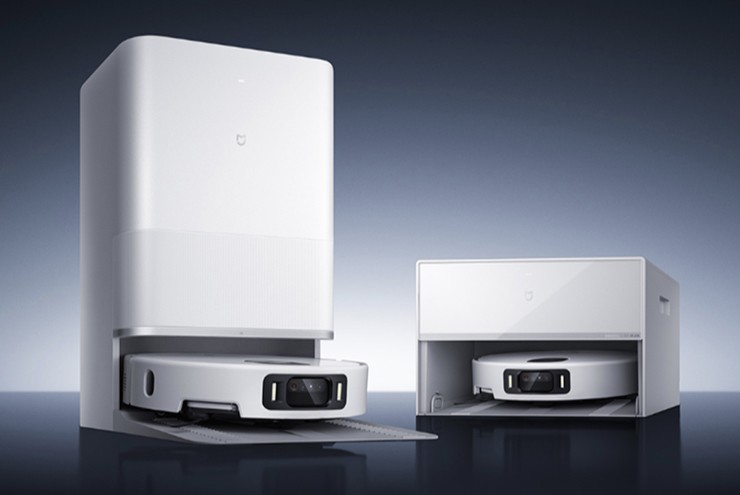
The Roomba 694 Up Close: What’s Under the Hood?
Let’s dive into the specifics of what makes the iRobot Roomba 694 tick. On the surface, it sports a sleek, understated design with a shiny black top and matte black sides, giving it a modern aesthetic that blends seamlessly into most home décors. Unlike some older models, you won’t find a carrying handle here, which gives it a more streamlined look, though some might miss the convenience for manual relocation. Measuring about 13.4 inches in diameter and 3.5 inches tall, it’s compact enough to maneuver under many pieces of furniture, reaching those dust bunnies that often hide out of sight.
Three-Stage Cleaning System: How It Tackles Dirt
At its core, the iRobot Roomba 694 utilizes a proven three-stage cleaning system to grab dust, dirt, and larger debris. This system consists of:
- Dual Multi-Surface Brushes: These work in tandem. The first brush loosens and lifts dirt, dust, and hair from both hard floors and carpets. The second then accelerates this debris into the suction channel, ensuring a thorough pick-up.
- Edge-Sweeping Brush: This little hero diligently sweeps debris from edges and corners, directing it into the path of the main cleaning brushes.
- Dirt Detect™ Technology: This is where the Roomba 694 gets a bit clever. Equipped with acoustic sensors, it can identify areas with a higher concentration of dirt and automatically adjust its cleaning intensity, spending more time in those spots to ensure they’re thoroughly cleaned. It’s like having a miniature cleaning detective on your side, making sure no crumb escapes.
“The beauty of the Roomba 694 lies in its straightforward efficiency,” explains Clara Nguyen, a senior product analyst specializing in smart home devices. “It’s not about flashy features, but about reliable, consistent cleaning that genuinely helps manage daily messes. The Dirt Detect feature, in particular, adds a smart touch to an otherwise simple navigation system, ensuring common high-traffic areas get the attention they need.”
Powering Through Chores: Battery Life and Charging
The iRobot Roomba 694 is powered by a rechargeable lithium-ion battery, offering a respectable run time. You can typically expect it to clean for up to 90 minutes, with some tests even showing it pushing up to 120 minutes on a single charge. When its battery starts running low, or once a cleaning job is complete, the Roomba 694 intelligently navigates back to its Home Base® charging station to recharge itself. A full charge usually takes around three hours, so it’ll be ready for its next cleaning mission before you know it. It’s this self-sufficiency that really makes a robot vacuum a “set it and forget it” appliance.
Navigating Your Home: The Roomba 694’s Cleaning Style
Understanding how the Roomba 694 moves around your home is key to setting expectations. It approaches cleaning with a unique, yet effective, method.
“Bump and Clean”: Understanding Adaptive Navigation
The iRobot Roomba 694 employs what iRobot calls “Adaptive Navigation,” though many users affectionately refer to it as “bump and clean” or “pinball” navigation. This means the robot moves in a somewhat random pattern, using a suite of sensors to detect obstacles and avoid drops (like stairs). When it encounters a wall or piece of furniture, it gently bumps into it, changes direction, and continues on its path. While this method isn’t as efficient as the smart mapping seen in higher-end models, which systematically clean in neat rows, the Roomba 694 is designed to eventually cover most accessible areas of your home over a cleaning cycle.
One important note: the Roomba 694 does not create or save a map of your home. This means it can’t be directed to clean specific rooms, nor does it have a “recharge and resume” feature – if it runs out of battery mid-cycle, it will return to its base but won’t pick up cleaning exactly where it left off. For single-room cleaning or open-plan areas, this isn’t a major issue, but it’s something to consider for multi-room homes or very large spaces.
Smart Connectivity: App Control and Voice Commands
Despite its entry-level status, the Roomba 694 is far from “dumb” when it comes to control. It’s Wi-Fi connected, allowing you to manage it through the intuitive iRobot Home App on your smartphone. From the app, you can:
- Start, Stop, or Pause: Initiate a cleaning session from anywhere.
- Schedule Cleanings: Set a daily or weekly schedule for autonomous cleaning.
- Monitor Status: Check battery levels and cleaning history.
- Get Updates: Receive notifications about your robot’s activities.
Beyond the app, the Roomba 694 also plays nice with voice assistants like Amazon Alexa and Google Home. A simple voice command, “Alexa, ask Roomba to clean,” or “Hey Google, start Roomba,” is all it takes to get your vacuum into action. This level of connectivity adds a layer of convenience that makes daily chores feel a little more futuristic.
Real-World Performance: What Can You Expect?
When it comes to actual cleaning performance, the iRobot Roomba 694 generally punches above its weight, especially considering its price point.
Hard Floors vs. Carpets: Where It Shines
The Roomba 694 truly excels on hard floors, such as hardwood, tile, and laminate. It effectively picks up dust, crumbs, and debris, leaving your bare floors noticeably cleaner. Its 3-stage cleaning system works efficiently to gather surface dirt.
On carpets, its performance is decent, particularly on low-pile carpets. It can handle most surface dirt and some embedded debris. However, it’s not designed for deep cleaning thick, high-pile carpets, where more powerful suction and specialized brush systems found in higher-end models would be more effective. Its airflow performance, while sufficient for many tasks, might struggle with larger or very heavy amounts of debris.
Taming Pet Hair: A Pet Owner’s Perspective
For pet owners, the Roomba 694 offers mixed results. While some users praise its ability to pick up pet hair, especially on hard floors and low-pile carpets, others note that its bristled brushrolls can be prone to tangling with longer pet hair. The side brush, while effective, might occasionally scatter lighter debris like pet litter before it gets suctioned up. If you have multiple long-haired pets, you might find yourself needing to clean the brushes more frequently. For households with moderate pet hair, particularly from shorter-haired breeds, the Roomba 694 can still be a valuable asset in managing daily shedding.
Dustbin and Filtration: Keeping the Air Clean
The Roomba 694 features a generous 600ml dustbin, which is quite large for an entry-level robot vacuum. This means less frequent emptying, making it suitable for homes with a moderate amount of dirt or even those with a few furry friends. The vacuum also uses an AeroVac filter to capture fine dust and allergens, preventing them from recirculating into the air. iRobot typically includes an extra filter in the box, and regular cleaning and replacement (every 2-3 months) are recommended to maintain optimal performance.
Roomba 694 vs. Its Siblings: Is It the Right Fit?
When considering the iRobot Roomba 694, it’s natural to wonder how it stacks up against other models in the Roomba family, especially its predecessor and more advanced versions.
The Classic Showdown: Roomba 694 vs. Roomba 675
The Roomba 694 is often seen as the successor to the popular Roomba 675, and the two share many similarities. In terms of core cleaning performance, battery life, and overall functionality, they are nearly identical. Both use the same “bump and clean” navigation and offer app and voice control.
However, there are a few subtle differences:
- Design: The 694 has a slightly more modern, streamlined aesthetic and lacks the carrying handle found on the 675. Some sources also indicate a minor difference in height, making the 694 potentially better for fitting under low furniture.
- Dustbin: While most agree the performance is similar, some comparisons suggest the 694 might have a marginally larger dustbin or slightly improved performance on bare floors and high-pile carpets.
- Connectivity: The 694 might offer slightly improved app stability and connectivity, likely due to software tweaks.
Ultimately, if you already own a Roomba 675, upgrading to a 694 might not offer a substantial leap in functionality. But as a new purchase, the 694 provides a fresh design and the latest refinements within this entry-level series.
Stepping Up: How It Compares to More Advanced Models
Compared to Roomba models in the i, j, or s series, the 694 is a more basic device. Higher-end models offer features like:
- Smart Mapping: Creating detailed maps of your home, allowing for room-specific cleaning, “keep-out zones,” and more efficient, methodical cleaning paths.
- Recharge and Resume: The ability to return to the base to charge and then resume cleaning exactly where it left off.
- Self-Emptying Bins: Automatically emptying their dustbins into a larger container in the charging dock, reducing manual intervention for weeks.
- Advanced Obstacle Avoidance: Using cameras and more sophisticated sensors to identify and avoid small objects like pet waste or cables.
The Roomba 694 is for those who prioritize affordability and basic automation over these advanced “smart” features. It’s about fundamental cleaning done well, rather than advanced home mapping and comprehensive customization.
Setting Up and Maintaining Your Roomba 694 for Peak Performance
Getting started with your iRobot Roomba 694 is a breeze, and a little regular maintenance will ensure it keeps your floors sparkling for years to come.
First Steps: Getting Your Roomba Ready
- Unpack and Place Home Base: Gently remove your Roomba 694 and its Home Base from the packaging. Find a clear, level spot for the Home Base against a wall, ensuring at least 1.5 feet of unobstructed space on either side and 4 feet in front. This gives your Roomba clear access.
- Charge Up: Plug in the Home Base and place your Roomba on it. Make sure the metal charging contacts align. The battery indicator will flash to show it’s charging. For the very first use, allow it to charge for about three hours to get a full battery.
Connecting to Your Smart Home: Wi-Fi Setup
The iRobot Home App is your command center for the Roomba 694.
- Download the App: Get the iRobot Home App from your device’s app store.
- Connect to 2.4 GHz Wi-Fi: Ensure your smartphone is connected to a 2.4 GHz Wi-Fi network, as the Roomba 694 does not support 5 GHz networks.
- Pair Your Roomba: Follow the in-app instructions to add your robot. You’ll typically need to press and hold the Home and Spot Clean buttons on the Roomba simultaneously until it beeps, indicating it’s ready to connect. Provide your Wi-Fi password when prompted. Once connected, you can name your Roomba and start scheduling cleanings!
Keeping It Pristine: Essential Maintenance Tips
Regular care is crucial for your Roomba’s longevity and performance:
- Empty the Dustbin: After each cleaning session, simply press the button on the top rear of the vacuum, slide out the bin, and empty it into the trash.
- Clean the Filter: Pull out the AeroVac filter and tap it against a trash bin to dislodge debris. iRobot recommends replacing filters every 2-3 months.
- Clean the Brushes: Periodically remove the main multi-surface brushes and the side brush to clear any tangled hair or debris. This is especially important for pet owners.
- Wipe Sensors: Use a clean, dry cloth to wipe the cliff sensors and charging contacts to ensure they function correctly.
When Things Go Wrong: Quick Troubleshooting Fixes
Most common issues with the Roomba 694 are easily resolved:
- Wi-Fi Connection Issues: Double-check you’re on a 2.4 GHz network. Try restarting your router and the Roomba. You can also reset the Roomba’s Wi-Fi settings via the app or by holding the HOME + SPOT CLEAN + CLEAN buttons on the robot until it beeps.
- Getting Stuck: Clear potential obstacles like loose cables, rugs with long tassels, or low-hanging furniture. The Roomba might occasionally bump aggressively into furniture, so ensure delicate items are out of its direct path.
- Soft Reset: If your Roomba is acting quirky, a soft reset can often fix it. Press and hold the “Clean” button on the robot for about 20 seconds until it reboots. This won’t erase your settings.
- Factory Reset: For persistent issues, a factory reset (found in the iRobot Home App settings) will return the Roomba to its original state, deleting all saved data and settings.
The Verdict: Is the iRobot Roomba 694 Your Next Cleaning Companion?
The iRobot Roomba 694 robot vacuum is a fantastic option for anyone looking to dip their toes into the world of automated cleaning without a hefty investment. It’s not the smartest robot on the block, but it’s a reliable and efficient workhorse that consistently tackles daily dirt and debris.
Pros:
- Affordable Entry-Point: Offers excellent value for its feature set.
- Effective Cleaning: Performs well on hard floors and low-pile carpets.
- User-Friendly: Simple to set up and operate via the app or voice commands.
- Generous Dustbin: Less frequent emptying compared to some competitors.
- Dirt Detect™ Technology: Focuses on dirtier areas for a more thorough clean.
- Reliable Battery Life: Sufficient for most small to medium-sized homes.
Cons:
- Random Navigation: No smart mapping means less efficient cleaning paths and no room-specific cleaning.
- Limited Deep Cleaning: May struggle with heavily soiled or high-pile carpets.
- Pet Hair Management: Bristle brushes can tangle with long pet hair, and side brush may scatter light debris.
- No Recharge & Resume: Doesn’t pick up where it left off after recharging.
- Can Be Noisy: Like most vacuums, it generates a notable sound while cleaning.
Who is the Roomba 694 For?
The iRobot Roomba 694 is an ideal choice for:
- First-time robot vacuum buyers: It’s an excellent introduction to automated cleaning.
- Homes with predominantly hard floors: Where its cleaning power truly shines.
- Smaller homes or apartments: Its coverage method is sufficient for these spaces.
- Budget-conscious shoppers: Who want reliable performance without premium features.
- Those who appreciate simplicity: A straightforward cleaner that gets the job done without complex settings.
Frequently Asked Questions (FAQ)
How long does the iRobot Roomba 694 battery last?
The iRobot Roomba 694 typically offers a run time of up to 90 minutes on a single charge, though some tests show it can last up to 120 minutes. It automatically returns to its Home Base to recharge when the battery is low.
Does the Roomba 694 map your house?
No, the Roomba 694 does not create or save maps of your home. It uses “Adaptive Navigation,” which means it moves in a somewhat random, “bump and clean” pattern, relying on its sensors to cover accessible areas.
Is the Roomba 694 good for pet hair?
The Roomba 694 can be effective at picking up pet hair, especially on hard floors and low-pile carpets. However, its bristled brushes can sometimes tangle with longer pet hair, and its side brush might scatter lighter debris like pet litter. Regular brush maintenance is recommended for pet owners.
What’s the difference between Roomba 694 and 675?
The Roomba 694 and 675 are very similar in core cleaning performance and features. Key differences are mostly aesthetic: the 694 has a more streamlined design without a carrying handle and potentially minor software/connectivity improvements. For most users, their performance is nearly identical.
Can I control the Roomba 694 with my phone?
Yes, the Roomba 694 is Wi-Fi enabled and can be fully controlled using the iRobot Home App on your smartphone. You can schedule cleanings, start or stop the robot, and monitor its status remotely. It also integrates with voice assistants like Alexa and Google Home.
Embrace a Cleaner Home with the iRobot Roomba 694
The iRobot Roomba 694 robot vacuum truly offers a helping hand in maintaining a tidy home. While it might be an entry-level model, its dedication to getting floors clean, coupled with smart features like app and voice control, makes it an invaluable addition to many households. It’s about more than just a clean floor; it’s about reclaiming your time, reducing your chore list, and enjoying a little bit of modern convenience. If you’re ready to let a robot take on the daily grind of vacuuming, the iRobot Roomba 694 is a straightforward, reliable choice that brings the future of cleaning right into your living room. Why not experience the ease and comfort of a consistently clean home with your very own iRobot Roomba 694?